
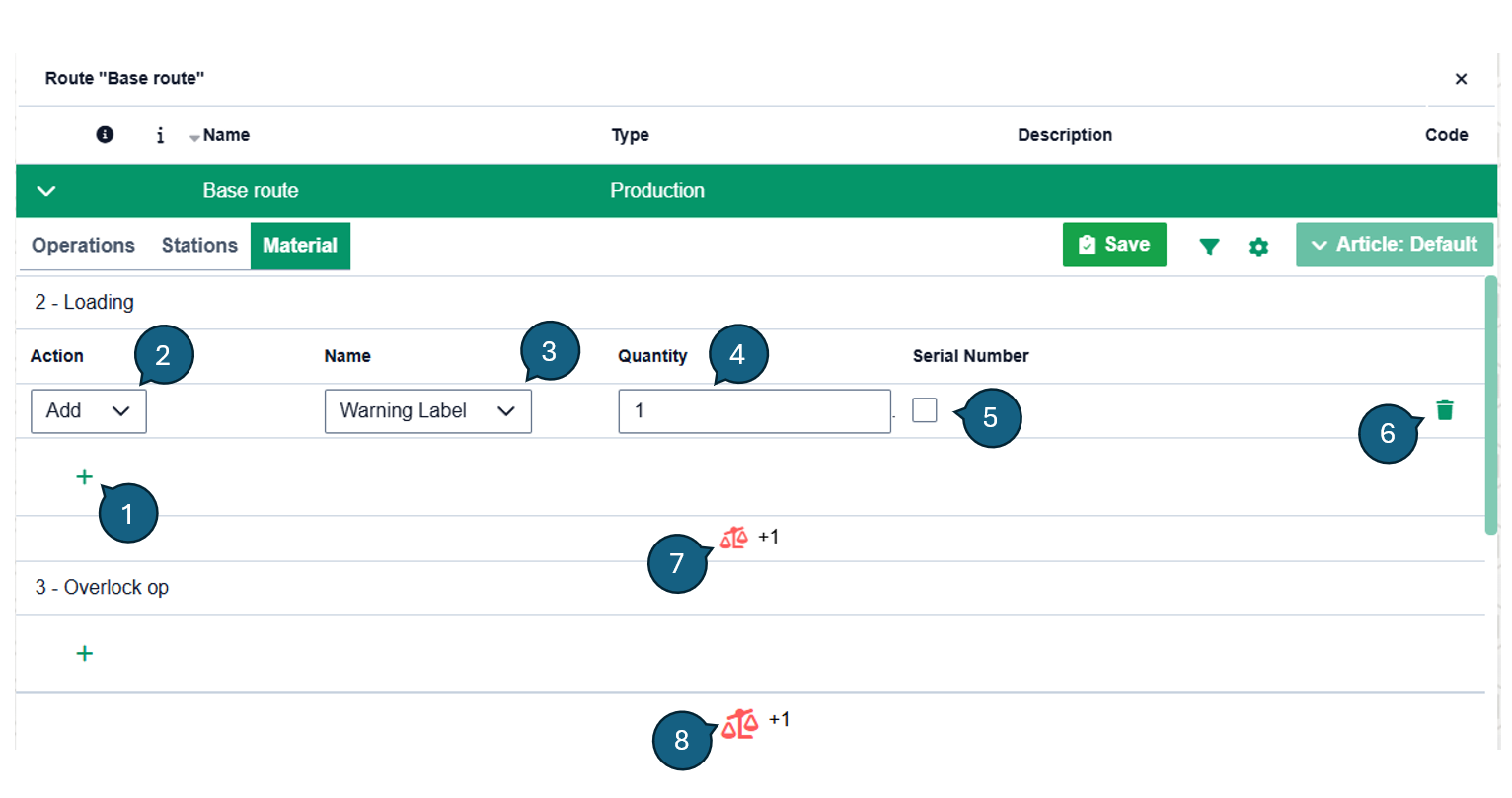
The route operation material page is used to administer materials for each operation in a route.
| No | Description |
|---|---|
| 1 | Add a new material to the associated operation |
| 2 | The material action type (Add, Add & Consume, Consume and Transfer) |
| 3 | The material to apply action for. Set up in Administration -> Material |
| 4 | The quantity of material to apply action on |
| 5 | Optional serial number which is required to be scanned at the associated operation. Only valid on Add or Add & Consume actions |
| 6 | Delete button for removing the material from the operation |
| 7 | Material balance by operation |
| 8 | Material balance by the total operation material actions and quantity in the route. Needs to be equal to 0 or green for it to be a valid route that can be saved |