
Roles
This page is accessible via the menu, Administration → Users → Roles & Permissions
To access this page you need the Administrate Roles Permission.
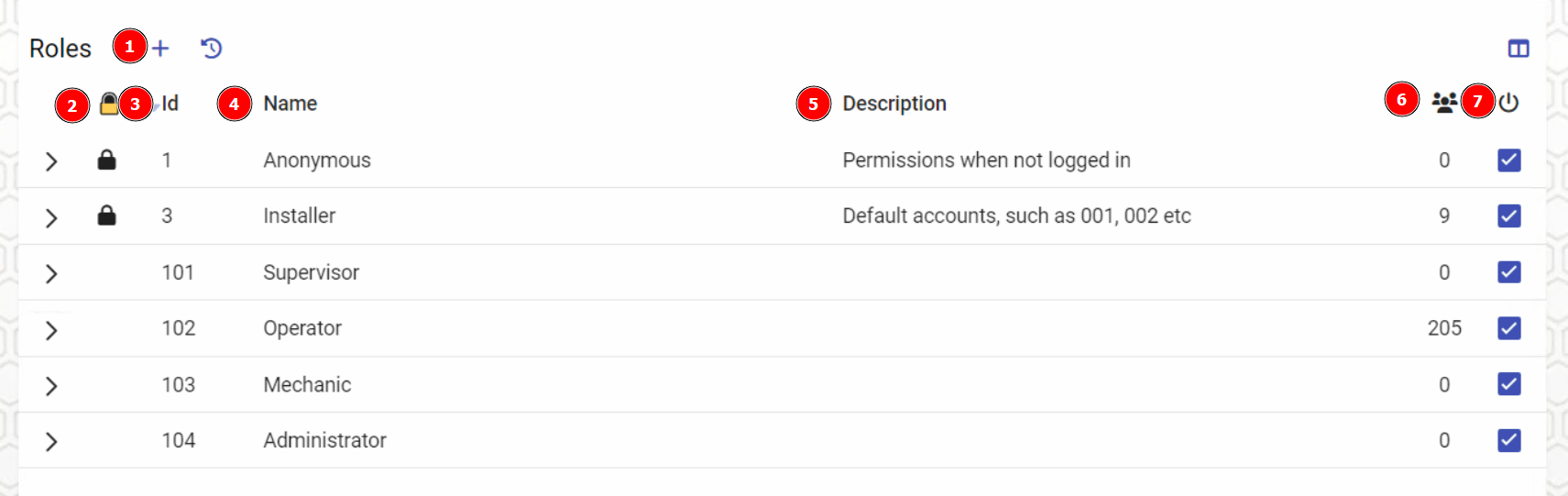
| # | Description |
|---|---|
| 1 | Open the dialog to add a new role to the system |
| 2 | Lock status of the role. Locked roles may not be deleted as they are created by the system, however they may be disabled. |
| 3 | Role Id. This cannot be changed once set. |
| 4 | Name of role |
| 5 | Description of role |
| 6 | Number of users with this role. Double click the number to quickly assign or un-assign users to this role. |
| 7 | Enable toggle - Disabling a role will revoke all permissions users obtained from that role. This will not remove the role itself, and it can be re-enabled to restore permission to users with that role. |
Click the [>] button to expand the role and view the permissions for that role.
Permissions
This view is visible once you have expanded a role and lets you assign what permissions should be assigned to a role.
See Permissions page for more general information on permissions as well as a list of all permissions.
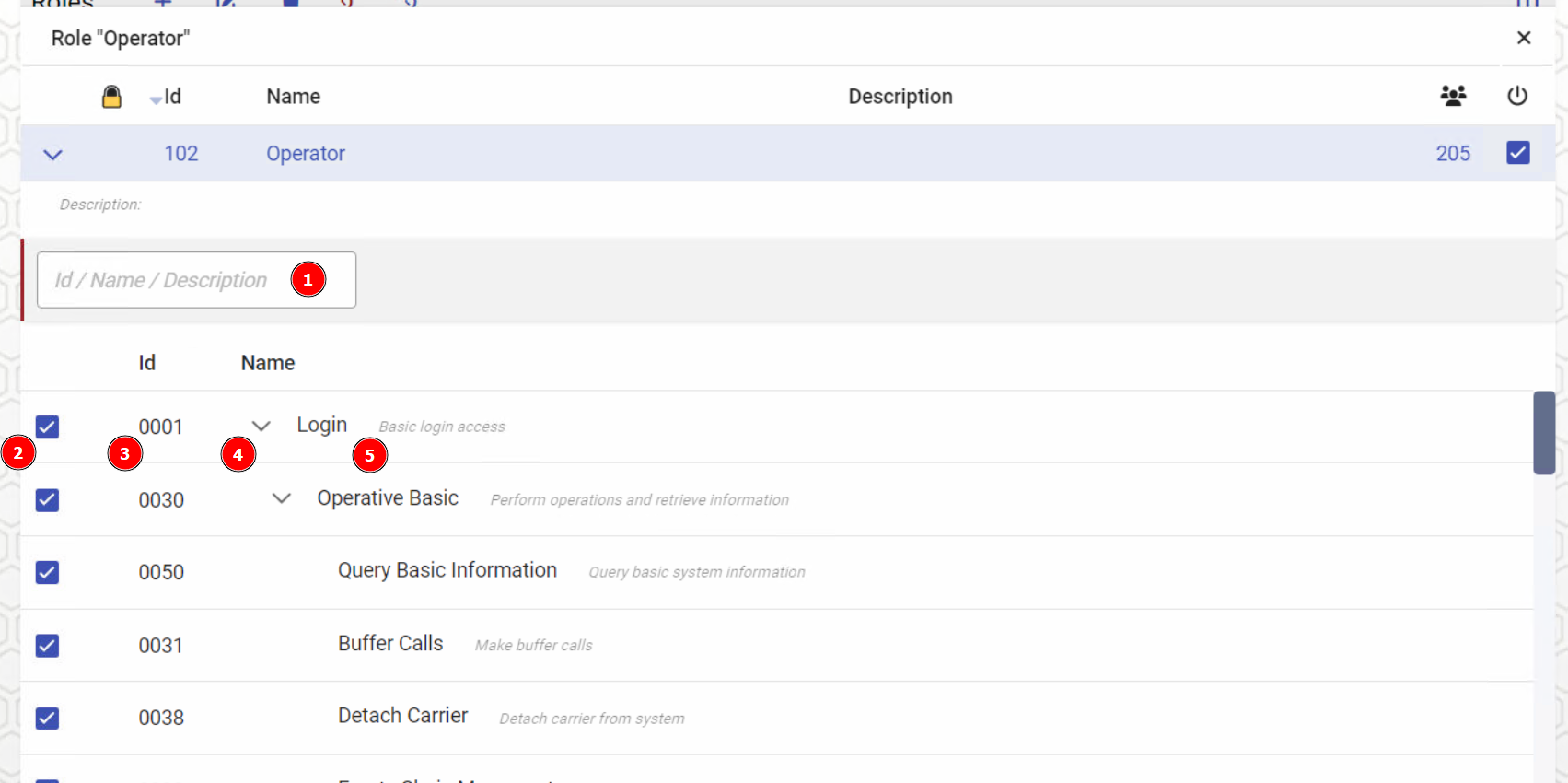
| # | Description |
|---|---|
| 1 | Search for permission by number, name or description |
| 2 | Checkbox to enable a permission for this role |
| 3 | Permission Id |
| 4 | Expand the permission tree |
| 5 | Permission description |
Terminal Commands
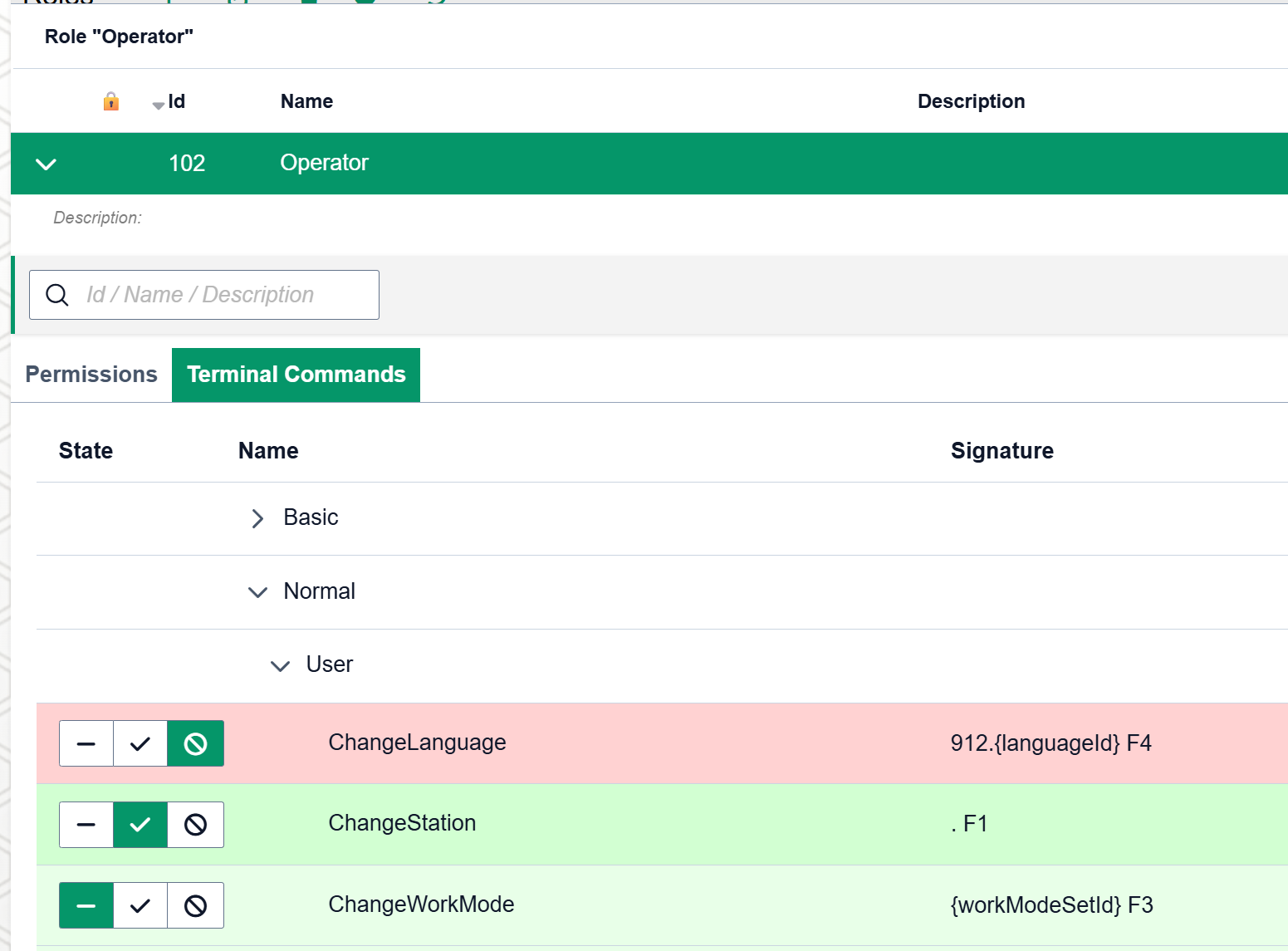
This is an advanced feature that allows an administrator to override which commands should be available for the connected role.
Terminal commands are normally associated with a permission so they do not need to be individually managed.
In this view, each terminal command has three options
➖ No override, use default availability.
✔️ Enable this command for the role even if it should normally not be available.
🚫 Disable this command for the role, even when it should normally be available.
💡 If a command is both enabled in one role and disabled in another role for the same user, the "enable" flag will win.
💡 Some commands have several aliases, such as .CarrierId F4 and 915.CarrierId F4. These need to be individually disabled/enabled as they are considered different commands.